 Global Bible Alarm
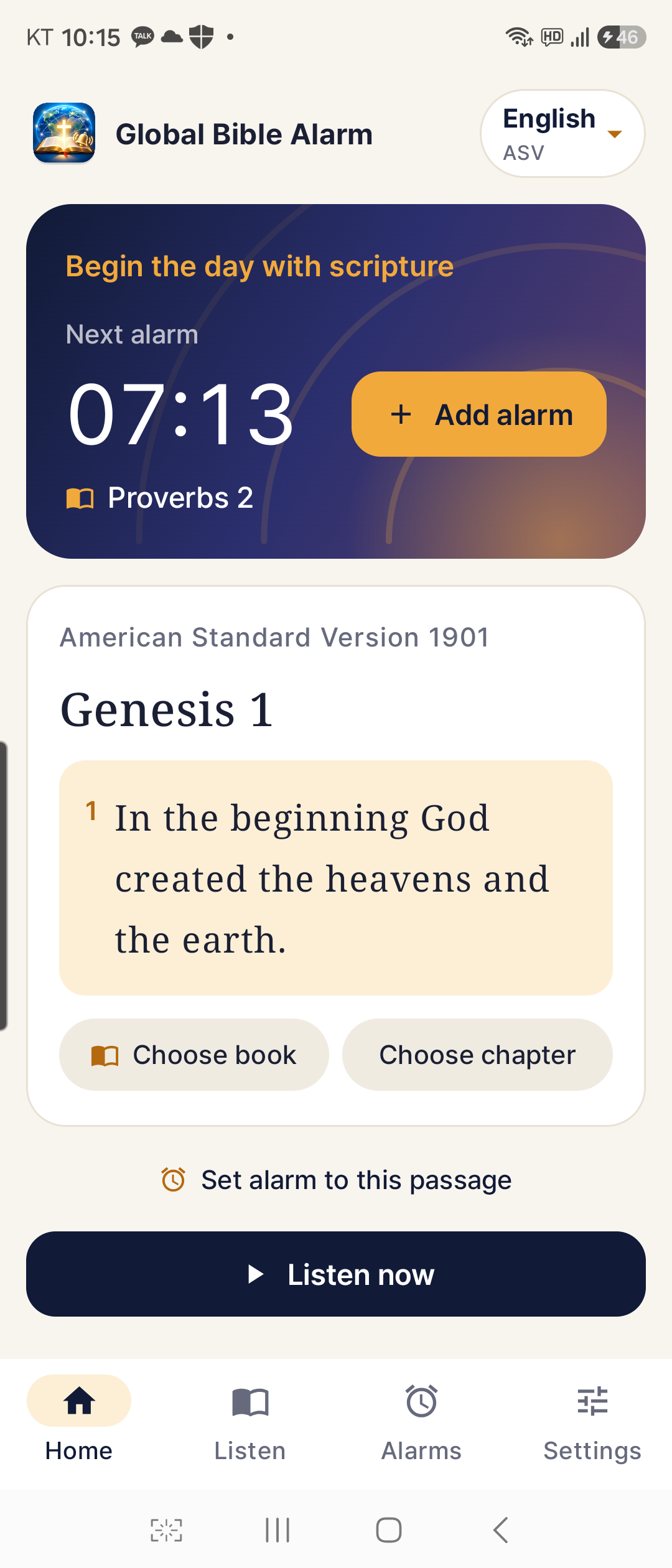
Begin the day with scripture.
Read, listen, and wake to scripture at a time you choose.
Scripture stored on device
Preparing for Google Play release
Android · 1.3.0
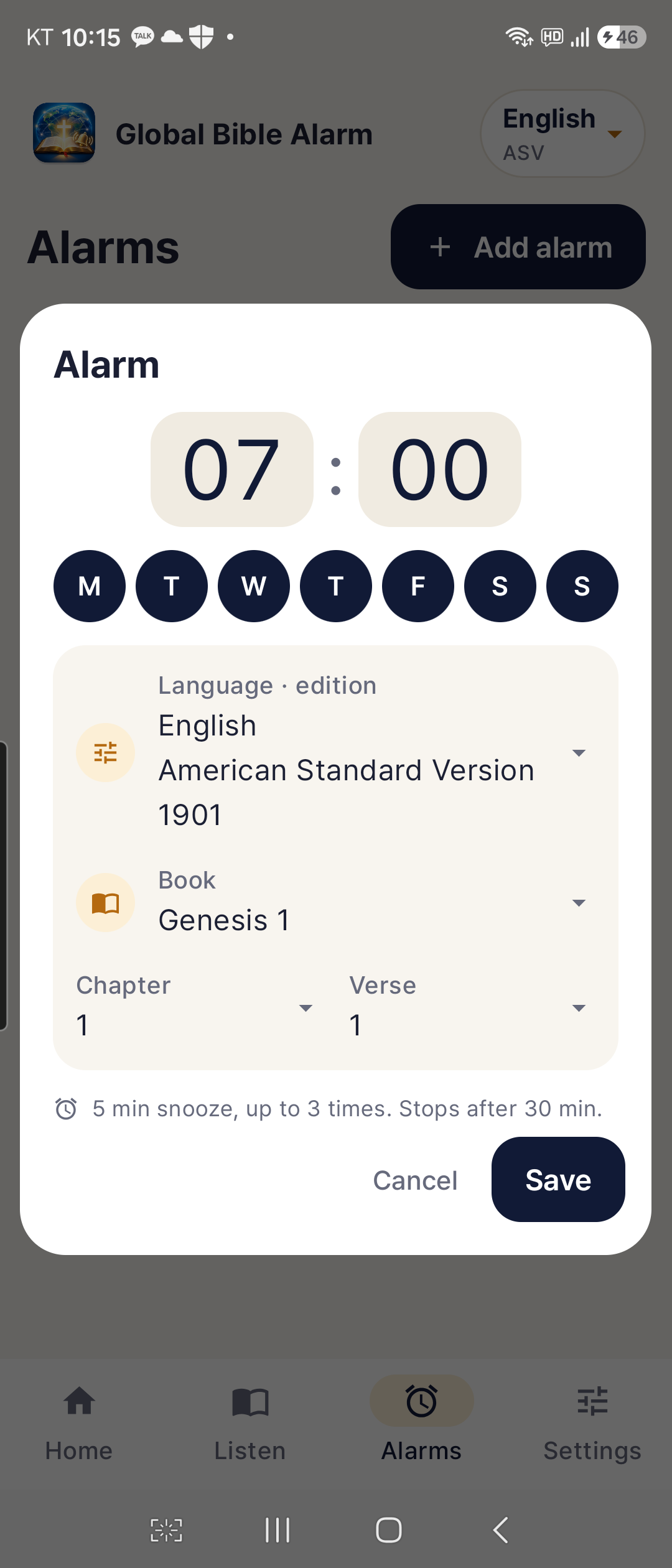
Your time. Your scripture.
Choose a time, weekdays, and a starting book, chapter and verse. Snooze for five minutes or confirm when the reading is complete.
Listen
Choose an edition, book and chapter, then listen. Adjust the voice, reading speed and pitch to suit your device.
Keep reading without pausing between chapters
Previous · Pause · Next · Restart · Stop
Start in three steps.
- 01
Select Bible
Choose a language and Bible edition.
- 02
Listen now
Select a book, chapter and verse, then try the reading.
- 03
Add alarm
Choose a time and weekdays, then save your alarm.
19 languages. 24 Bible editions.
Complete Ad Fontes editions plus Korean and Japanese scripture. Source verse numbers are preserved. Choose a new start when switching editions.
Before you begin.
Voice and permissions
Reading uses your device’s speech engine. Voice downloads and offline availability depend on the language, device and speech provider.
Check alarm volume, Do Not Disturb and battery settings.
Privacy policy
No account, analytics SDK or paid voice API. Scripture and progress stay on the device. The promotion server may receive the connection IP. Links open only when tapped.
Privacy policy ↗Contact and report a problem
ccolaju@gmail.com