Original audio
Subtitles float on top
Android · Google Play
Live translated subtitles for video audio playing on your smartphone.
Real-time video translation · 18 languages ⇄ 18 languages
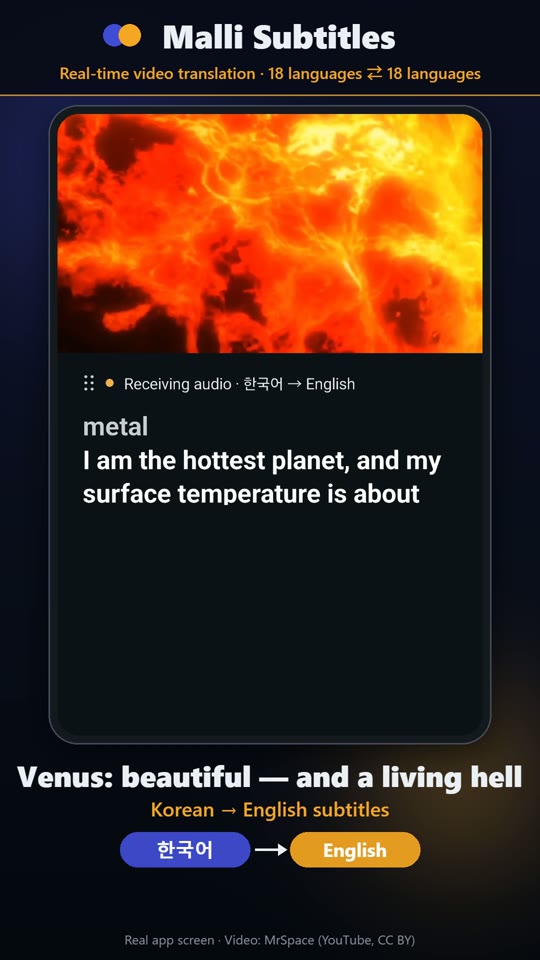
Subtitles float on top
Compare at a glance
Put it where you like
Watch in yours
Live translated subtitles for video audio playing on your smartphone.
Choose the audio and subtitle languages from 18 supported languages. Read subtitles over other apps while watching your video. Apps that block audio sharing and protected videos may not be supported.
Read translated subtitles for audio playing on your device.
Korean → English subtitles · Real app screen
MrSpace — 태양계 / 8개의 행성 이야기 · CC BY
Excerpt, app screen recording, translated subtitles and promotional graphics added. Not affiliated with or endorsed by the original creator.
Install the app and sign in with your Google account.
Choose the language of the audio and the language of the subtitles.
Start subtitles and allow audio sharing and display over other apps when prompted.
Play your video. If no audio is detected, use the audio reception check in the app.
Move or resize the subtitle window. Stop subtitles when finished.
Real-time video translation · 18 languages ⇄ 18 languages
Sign-in and a valid pass are required for the translation service. Check the purchase screen for actual prices and conditions. Malli Subtitles and Malli Interpreter share a balance under the same account; simultaneous usage time is added together and deducted.
An internet connection is required. Only audio that the device and playback app permit can be captured for translated subtitles. Audio-sharing consent and permission to display over other apps may be required. The audio reception check does not send audio outside the device.
Accuracy and display time vary with noise, pronunciation, language and connection quality. Check important information against the original. This service does not replace professional judgment.
Obtain the consent of conversation participants. Selected audio and transcription/translation text are sent to external processing services to provide the service. Avoid sensitive information and read the privacy policy.